A UK hospitality group can throw away 18% of the food it buys, at an estimated annual cost of £3.2 billion, according to UK Parliament's summary of WRAP data. That makes pre-order software more than a guest convenience. For a group operating hotels, restaurants, stadiums or golf clubs under several brands, it can become part of the operating, reporting and allergen-control infrastructure.
The difficult question is not which platform collects menu choices. Most can do that. The question is which system can preserve each brand's identity while giving group teams reliable control over menus, payments, dietary records, seating, kitchen information and post-event reporting.
This review considers the main categories and named platforms buyers may encounter, including SetMenu, TellTheChef, Collins/Access, ResDiary, FanGo and Creventa. The comparison is deliberately practical. A tool that suits a single restaurant may be a poor fit for a portfolio with central finance, local venue teams and different event formats.
Table of Contents
- Why Multi-Brand UK Groups Need a Different Pre-Order Approach
- The Evaluation Criteria a Multi-Brand Group Should Apply
- How the Leading UK Platforms Compare at a Glance
- Creventa on Its Own Merits
- Platform-by-Platform Review With Honest Pros, Cons and Best Fits
- Matching the Shortlist to Hotels, Restaurants, Stadiums and Golf Clubs
- Implementation, Pricing Transparency and a Final Procurement Checklist
Why Multi-Brand UK Groups Need a Different Pre-Order Approach
UK hospitality operates at a scale where administrative friction quickly becomes a labour issue. Businesses involved in food and accommodation services generated £62.5 billion in UK economic output in 2023, while the sector supported 2.8 million jobs, or 7.5% of all UK jobs, by the three months to June 2024. In the three months to September 2024, the sector recorded approximately 95,000 vacancies, equal to 3.6 vacancies per 100 workers, according to the UK Parliament research briefing.
A group therefore needs to assess more than the guest-facing form. Re-keying dietary requests, reconciling deposits, chasing missing choices and recreating kitchen reports at every venue can absorb scarce staff time. The platform should reduce repetitive work without removing the local judgement that complex events require.
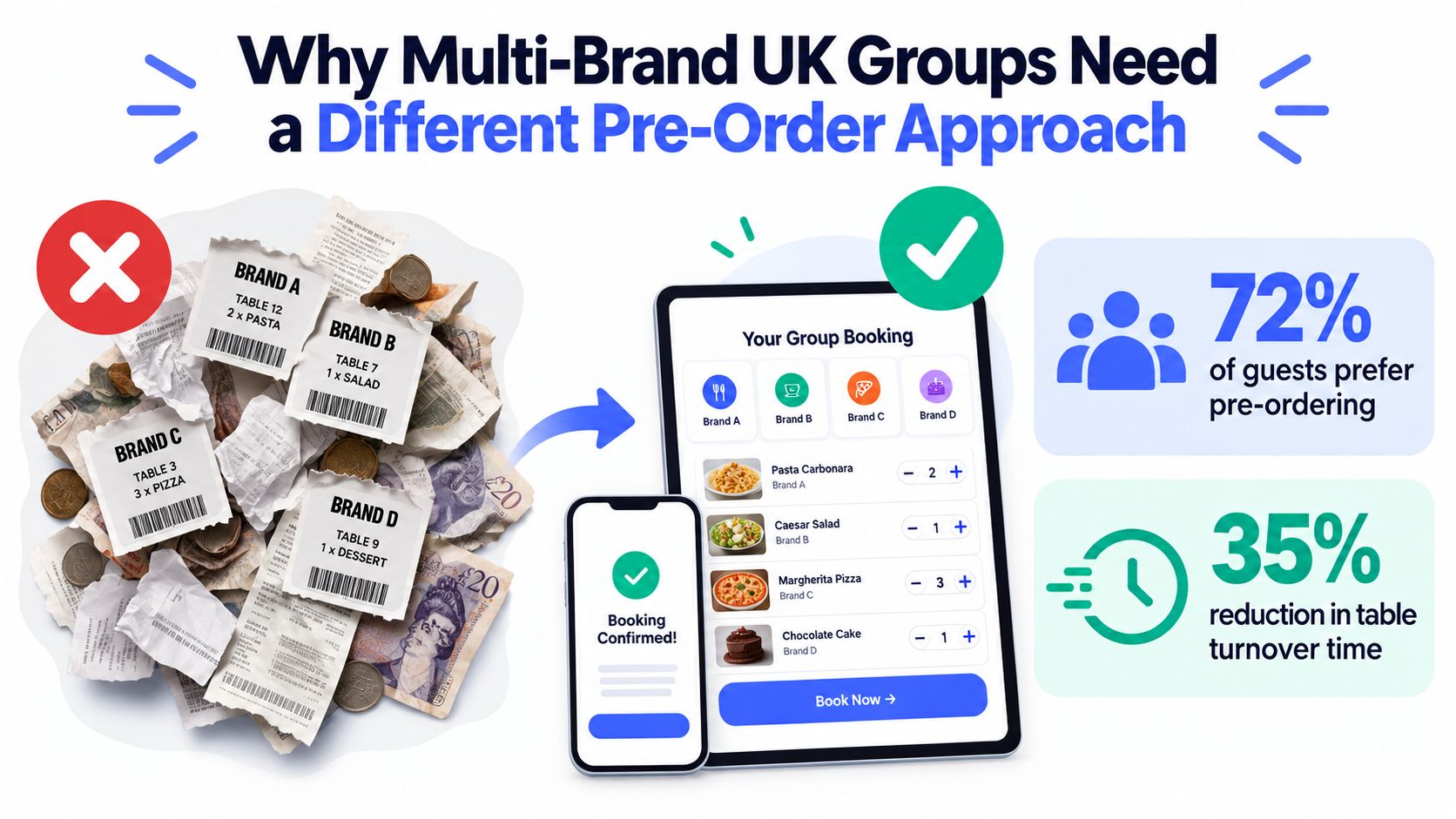
Four controls appear once a second brand is added
Brand-level communication is the first dividing line. Each venue may need its own logo, tone, sender identity and email domain, while a group team still wants shared templates, permissions and reporting. A single generic booking page can undermine trust and make a portfolio feel fragmented.
Central menu governance matters just as much. Head office may want one controlled allergen record and standard event structure, but a hotel, restaurant or stadium may need local dishes, service timings, prices and payment rules. Good software supports central control with clearly managed local overrides rather than forcing every venue into an identical workflow.
Group reporting should show both the portfolio and the underlying site data. A finance or operations lead might need consolidated deposits and event volumes, while a chef needs quantities by venue, date, menu version and dietary variant. Reports that flatten those distinctions aren't useful for production planning.
Finally, allergen records must remain consistent across sites. The platform should carry guest selections into kitchen and front-of-house documents, retain changes and make responsibility visible. A useful starting point for assessing this wider model is the guide to event software for multi-site hospitality groups.
The Evaluation Criteria a Multi-Brand Group Should Apply
A procurement team should score platforms against the work its venues perform, not against the length of a feature list. The most useful criteria connect a product capability to a specific operational risk.
What to test before choosing
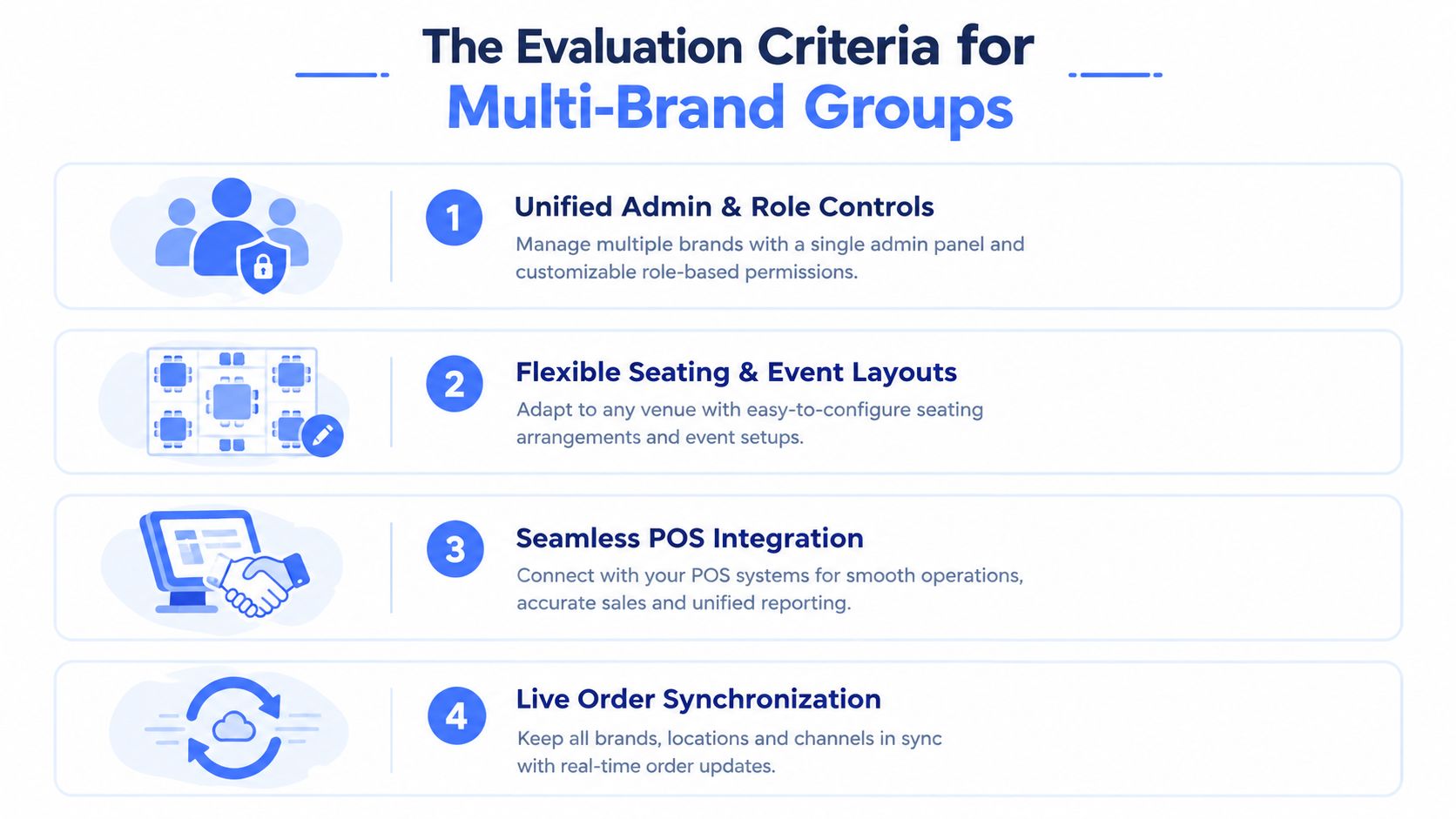
Multi-site administration covers roles, permissions, brand templates, venue separation and central oversight. A regional manager may need access to several sites, while a host should see only the event or guest list they manage.
Seating and event workflows need to support more than reservations. Buyers should test shared parties, ticketed public events, table hosts, place cards, amendments, late joiners and changes made after an initial order.
Dietary and allergen handling should record the guest, selected item, declared requirement and any operational response. UK businesses have a legal duty to provide information about the 14 allergens that must be declared by law, as explained in UK trading standards guidance on Natasha's Law.
Payments deserve their own test. Check deposits, pre-payments, refunds, payment deadlines, reconciliation and gateway choice, rather than assuming that a payment button solves the finance workflow.
Integration is another practical filter. A group may need event data to connect with property, reservation, CRM or finance systems, while retaining a clean export when no direct integration exists.
A reusable scoring grid
| Criterion | Operational question |
|---|---|
| Multi-site administration | Can central teams govern brands without blocking local work? |
| Seating and events | Can the system handle complex layouts and public events? |
| Allergens | Does dietary data reach the right operational teams? |
| Payments | Can deposits, deadlines and reconciliation be managed? |
| Integrations | Does it connect with the existing technology stack? |
| Group reporting | Can leaders compare sites without losing detail? |
| Security | Are access, retention and supplier controls documented? |
The final criterion is information security. Ask about user access, audit trails, data retention, incident handling and supplier responsibilities. A practical UK event management software checklist should sit alongside live demonstrations and reference checks, because a promising workflow can fail during rollout if the underlying controls aren't clear.
How the Leading UK Platforms Compare at a Glance
The table below is a screening aid, not a universal ranking. Product configurations, integrations and commercial terms can change, so each group should validate the relevant workflow in a sandbox or structured demonstration.
| Platform | Multi-site admin | Seating & events | Allergens | Payments | Integrations | Group reporting | Security |
|---|---|---|---|---|---|---|---|
| SetMenu | Guest pre-ordering with a straightforward operating model | Suitable for defined menu events | Requires checking depth of dietary workflows | Requires checking deposit and gateway handling | Validate the required stack | Validate portfolio views | Request current documentation |
| TellTheChef | Useful where kitchen communication is central | Stronger fit for kitchen-led order routing | Check how records reach service teams | Validate payment scope | Check available connections | Check multi-site consolidation | Request current documentation |
| Collins/Access | More relevant to venue and table operations | Suitable for table-led workflows | Confirm event-level allergen handling | Validate event deposits and payments | Check hospitality connections | Confirm group reporting | Request current documentation |
| ResDiary | Relevant to reservation-led restaurant groups | Stronger for restaurant booking workflows | Test advance event dietary capture | Validate pre-order and deposit journeys | Check the existing reservation stack | Confirm cross-site reporting | Request current documentation |
| FanGo | Relevant to stadium and sports hospitality | Suited to high-volume venue events | Test menu and dietary governance | Validate ticketing and payment flows | Confirm venue integrations | Confirm event and group reporting | Request current documentation |
| Creventa | Central platform with brand-level workflows and reporting | Built around events, seating and pre-orders | Tracks named allergens and custom requirements | Supports deposits and pre-payments | Integrates with selected hospitality systems | Designed for cross-venue visibility | Review supplier and access controls |
The main distinction is product centre of gravity. Some tools begin with the guest order, some with kitchen routing, some with venue-floor management, and some with reservations or stadium hospitality. That starting point affects how much work remains for event administrators after a booking is confirmed.
Buyers should also separate software built for hospitality workflows from generic forms, spreadsheets, email and bespoke builds. A generic tool may be quick to deploy, but it often leaves the group responsible for menu versioning, allergen governance, seating documents and operational reporting. The issue isn't whether a generic form can collect a choice. It's whether the choice can be trusted and used across the full service process.
The food-waste case reinforces that distinction. WRAP-related reporting cited by The Caterer describes waste shares of approximately 21% spoilage, 45% preparation waste and 34% plate waste, while noting that only one-fifth of operators tracked the source of waste and 10% used technology to monitor output. A platform should therefore expose quantities and variances, rather than just display a completed form. The case for event pre-ordering as a control on wet spend and food waste is strongest when reports can be reconciled with amendments, cancellations, no-shows and final attendance.
Creventa on Its Own Merits
Creventa is a UK platform focused on the period after an event booking is confirmed. It was founded in June 2020 by Luke Ireland and Andrew Norton. Its core platform covers pre-orders, allergens, seating, place cards and reports, while CreventaFlow handles enquiries, proposals and quotes, and Prinq lets guests order and pay before events. The wider product set includes post-event feedback and guest insights.
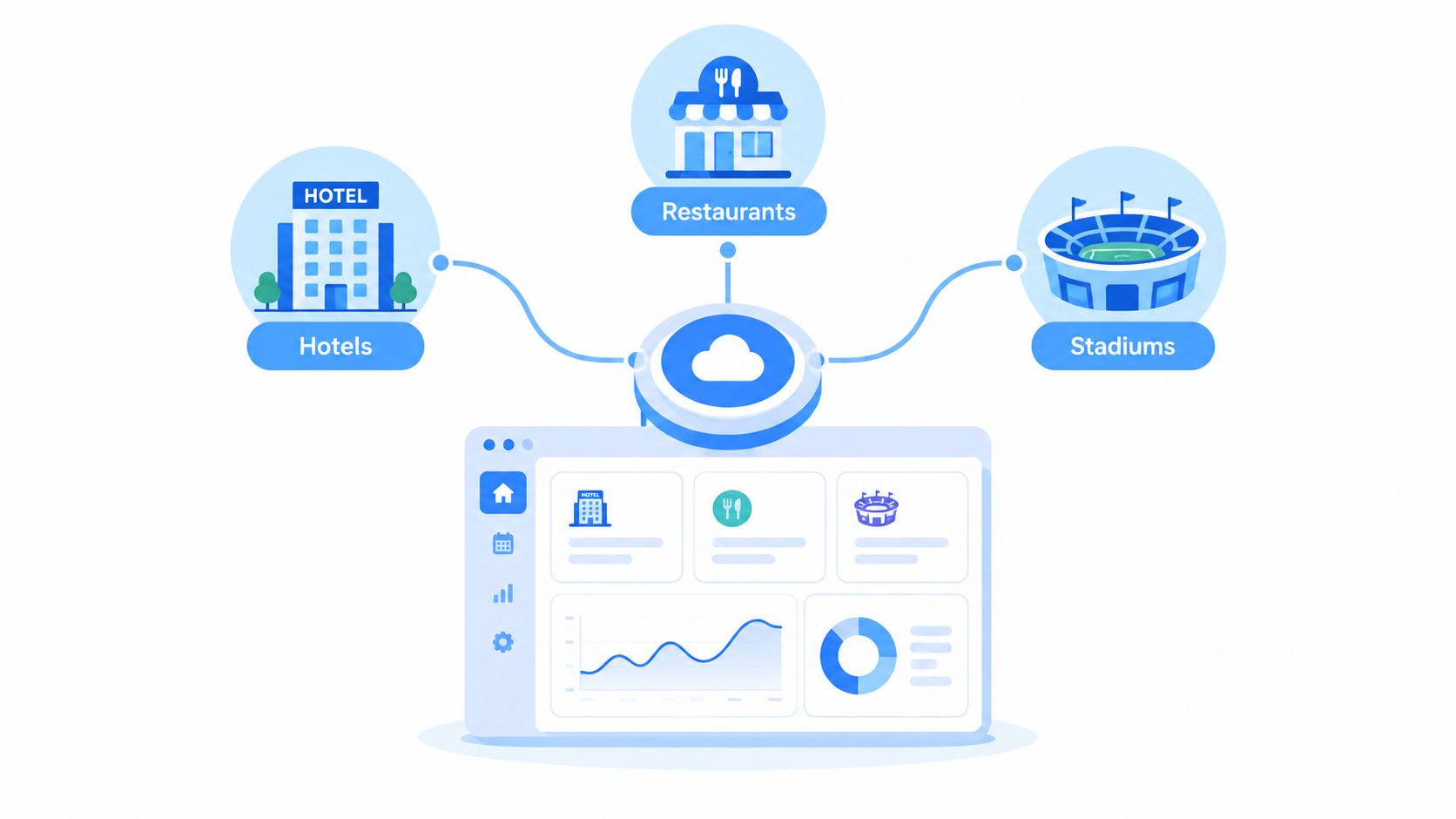
Where the workflow fits
The system sends white-label, venue-branded emails to collect RSVPs, food and drink choices, allergens, dietaries and deposits. Its allergen tracking covers the 14 named allergens required under UK rules, alongside custom requirements. Guest responses generate chef reports, food passes, front-of-house reports and printable place cards without manual typing, while drag-and-drop seating plans support event layouts.
A delegated host function allows clients and table hosts to manage their own guest information. Ticketed events support public nights such as Christmas joiner parties, which gives stadiums, hotels and clubs a route beyond private booking administration. Creventa says it supports events from 4 to 2,500+ guests, while other supplied product information describes the platform as working with events from 10 to 1,100 plus guests. Buyers should confirm the relevant operating range for their own event design rather than treating either statement as a guarantee.
Creventa reports around 20% less food waste and says over 2 million festive meals were ordered through the platform at Christmas 2025. Those are supplier-reported figures, not independent validation. A group should request the underlying reporting method and establish its own baseline before using them as a business case.
Trade-offs to record
The platform integrates with Delphi, Opera Cloud, Adyen, Stripe and iVvy. It also supports centralised dashboards, cross-venue reporting and white-label branding by brand. That combination is relevant to groups that want a shared operating layer while preserving local menus and communications.
The trade-off is scope. A buyer looking for native venue-floor table management outside an events module should test the fit carefully. Creventa is oriented towards event administration, pre-orders and operational documents rather than acting as a complete replacement for every property, reservation or point-of-sale system.
Pricing is public and published on the Creventa website, so procurement teams can start with a visible commercial reference rather than assuming every detail requires a sales conversation. The sensible assessment is still a workflow trial, because price transparency doesn't answer questions about migration, permissions or integration effort.
Platform-by-Platform Review With Honest Pros, Cons and Best Fits
The five workflow categories below address different operational starting points. For a multi-brand UK hospitality group, the decision should rest on where control, compliance and waste reduction matter most, rather than on the longest feature list. A useful test is whether the system gives head office reliable oversight while allowing each venue to manage its own menus and service requirements.
Guest-facing pre-order systems
These systems focus on giving guests a defined menu, collecting selections and reducing reliance on email chains or manually maintained spreadsheets. That approach can suit smaller groups with repeatable event formats and limited variation between sites.
The same simplicity may become restrictive when head office needs detailed permissions, central menu governance with local changes, delegated hosts, complex seating or consolidated reporting across distinct brands. Buyers should test how allergen updates, guest amendments and kitchen documents are controlled. The key question is whether a dietary change remains visible from the guest record through to production.
Waste measurement also deserves attention. A group should be able to compare ordered quantities with attendance, amendments and post-event outcomes, rather than only collecting pre-orders. Without that reporting, the platform may reduce administration without showing whether purchasing and preparation became more accurate.
Best for: venues seeking a focused guest pre-order workflow with limited portfolio complexity.
Kitchen-led workflow systems
Kitchen-led systems place greater emphasis on moving guest choices into production or ticket workflows. They may suit venues where communication between the event team and kitchen creates the main delay, particularly when menus are structured and service patterns are familiar.
Multi-brand buyers should examine the functions outside production routing. Tests should cover white-label communications, brand-level permissions, seating, deposits, public ticketing and group reporting. The demonstration should also follow a dietary declaration through every operational output, including changes made after the original order.
A kitchen-facing system can be a sensible choice when routing is the priority. It may require additional processes if the group also needs central event administration, portfolio-level compliance records or consistent waste reporting across sites. Procurement should confirm setup work, support arrangements and the cost of adding venues before comparing licences.
Best for: kitchen-led operations that need dependable production routing more than a complete group event system.
Venue-floor and table-management systems
Venue-floor systems are designed around tables, reservations and service activity within a hospitality site. Their strengths can matter to operators whose main operational issue is coordinating room layouts and live service activity across a venue.
Their fit requires closer testing when events depend on advance menu selection, individual allergen capture, place cards and kitchen-ready documents. A realistic demonstration should include a shared party, a late amendment, a local menu variation and a head-office review across more than one brand.
The group should also ask how information is exported for finance, kitchens and compliance teams. A system that works well for floor operations may still leave staff rebuilding event sheets or reconciling orders manually. Those tasks affect the total cost and can undermine attempts to measure avoidable food waste.
Best for: operators prioritising venue-floor table management and reservation operations.
Reservation-led systems
Reservation-led systems make the booking the central record. They can suit restaurant groups that want to connect table bookings with guest communications, seating activity and restaurant service.
The assessment should cover whether the workflow extends comfortably into advance food and drink ordering, detailed dietary records, seating plans and kitchen documents. Large functions and delegated guest administration may require extra steps where the system is designed primarily around individual reservations. Groups considering this category can review reservation-led workflows for group bookings and pre-orders as part of the shortlist process.
Commercial evaluation should include multiple venues, booking channels, integrations, training and reporting. A restaurant group may reasonably prefer this approach when reservations and table utilisation are more important than producing detailed function documentation. It should still establish how order changes reach the kitchen and how allergen records remain attached to the correct guest.
Best for: restaurant-led groups where reservations and table management form the operational core.
Ticketed, high-volume event systems
Systems built for ticketed and sports hospitality environments address large audiences, repeat event formats, service windows and public-event administration. They may fit venues operating under concentrated time pressure, where throughput and event concurrency shape the brief.
A multi-brand group should test whether the same system can support different venues and event types. Demonstrations should include dietary governance, seating outputs, amendments, production handover and reporting for head office. Strong performance at public events does not automatically cover hotel functions, golf-club dining or smaller private parties.
The cost model should reflect event scope, venue requirements, integrations, implementation and support. A sports-led group may favour this category when ticketing and high-volume service are the primary concerns. Another workflow category may suit the same group better for lower-volume events, provided data can still be governed consistently across brands.
Best for: stadiums and sports venues centred on ticketed, high-volume hospitality events.
Matching the Shortlist to Hotels, Restaurants, Stadiums and Golf Clubs
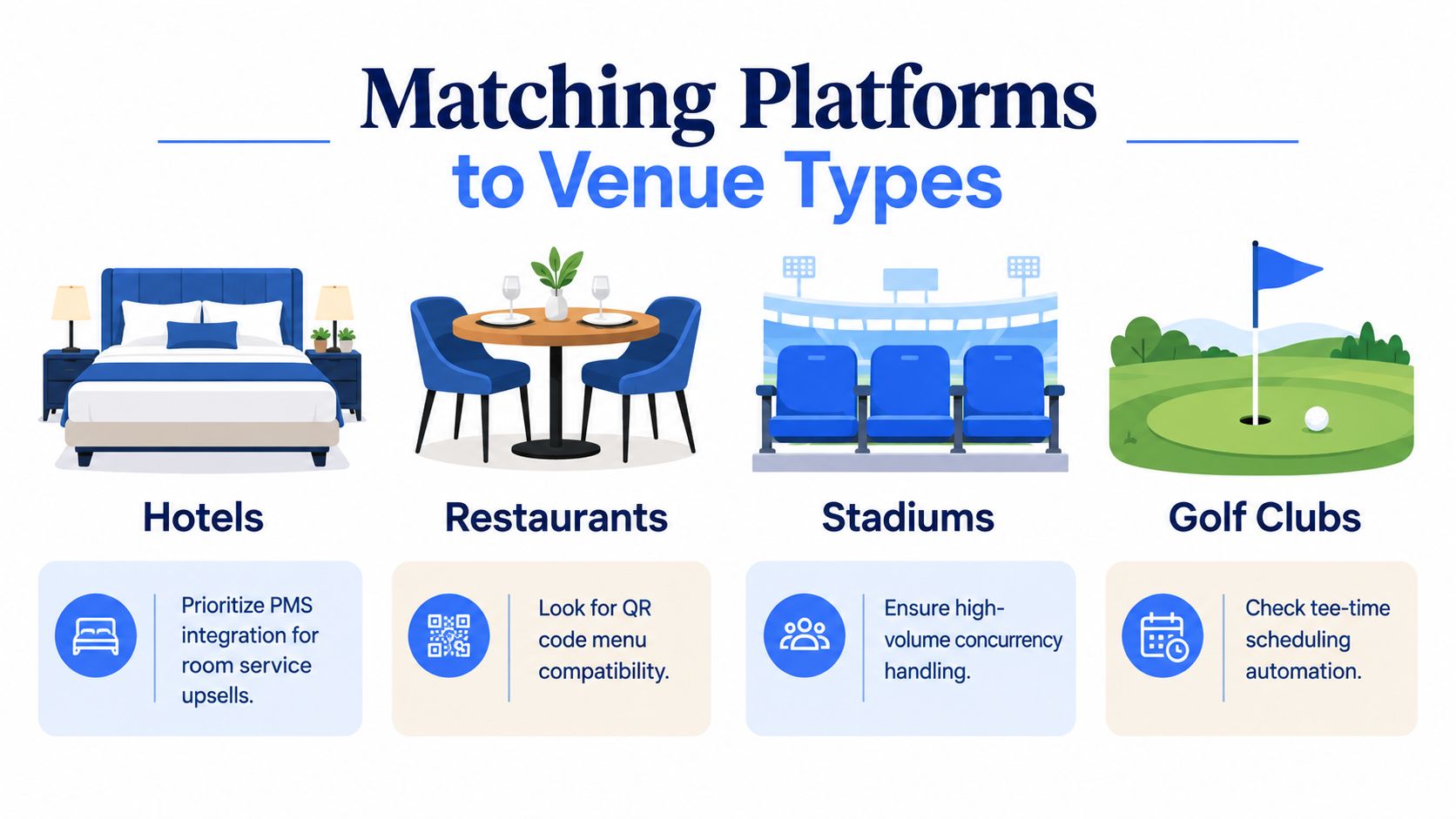
The best pre-order platform for multi-brand UK hospitality groups depends on where operational complexity sits. A hotel group may need property connectivity and central reporting, while a stadium may care more about ticketed events and throughput.
Hotels and mixed-use groups
Look for PMS connections, central oversight and brand-specific communications. Delphi, Opera Cloud and Guestline/RezLynx may form part of the existing stack, so confirm whether the shortlisted platform can integrate with the relevant system or provide a clean export.
- Check booking handover: confirm what happens once an event is confirmed.
- Test brand separation: send different communications from different venues.
- Review portfolio reports: compare deposits, menus and dietary records without losing site detail.
Restaurant groups
Reservation-led workflows and table management often deserve priority. The platform should also support mobile forms, staff-assisted entry and clear amendment rules, because research on UK restaurant booking preferences found that 54% of 1,500 UK adults preferred booking reservations online, while 50% still preferred ordering directly with staff. For broader restaurant operations, teams may also find it useful to manage your restaurant with BonusQR.
Stadiums and sports venues
Ticketed public events, guest volumes, event-specific menus and joiner-party handling should lead the test. Ask the supplier to demonstrate concurrent ordering, late changes, menu cut-offs and reports that separate event forecasts from final attendance.
Golf clubs
Golf clubs need member-friendly communications, dietary capture and branded events without making guests work through an overly complex process. Test recurring event templates, host delegation, seating and the handling of changes before service.
Implementation, Pricing Transparency and a Final Procurement Checklist
Implementation should be judged by the work required at each site, not just the software licence. Creventa describes implementation as typically taking a couple of days and often hours, while a heavyweight enterprise rollout can take weeks or months. The actual timetable depends on data quality, integrations, menu complexity, permissions and training.
Move existing spreadsheets and email records into a controlled structure before launch. Validate menu versions, allergen data, payment rules, sender identities, seating templates and report recipients with venue teams rather than leaving those checks to a central project group.
Under Natasha's Law, PPDS food needs the food name, a complete ingredients list and emphasised allergens. Government guidance on PPDS allergen labelling and the Food Standards Agency explanation make clear that software supports the process but doesn't replace the operator's legal duties.
Use this five-point RFP checklist:
- Map workflows: document booking confirmation, ordering, amendments, seating, payment and reporting.
- Test governance: verify permissions, brand controls, allergen records and auditability.
- Validate outputs: inspect kitchen sheets, place cards, front-of-house reports and exports.
- Price the whole rollout: include licences, payments, implementation, training and integrations.
- Pilot and measure: compare completion, administration, forecast variance and waste using a defined baseline.
The event software switching checklist can help structure migration planning and reduce the risk of launching before venue teams are ready.
Creventa offers a central event layer for guest pre-orders, allergen and dietary capture, seating, payments, communications and operational reports across hospitality venues. If those requirements match your group's priorities, review the public product and pricing information at Creventa and arrange a workflow assessment before making a shortlist decision.
Jake Crimmin, Hospitality Events Specialist, Creventa. Jake works with hotels and venues on event operations, focusing on how pre-orders and allergen data flow from the guest through to the kitchen.