Friday afternoon is when weak seating processes usually break. A corporate dinner adds three late VIPs, the bride's mother wants two tables reshuffled, one guest now needs step-free access, and the chef asks for a final dietary count that corresponds to where people are sitting. If your team is still piecing this together from spreadsheets, email threads, and a PDF floor plan marked up by hand, the problem isn't just speed. It's control.
That's why the best event seating plan software now sits much closer to operations than design. Venues don't just need to drag tables around a screen. They need clear guest flagging, reliable exports, and, in many cases, a direct line between the seating plan and what the kitchen, events team, and front of house will do next.
Early comparison articles often miss that operational reality. One recent review found that 78% of venue managers report allergen and dietary tracking failures as a top legal risk under the UK Food Standards Act, yet only 12% of reviewed seating chart platforms offer per-guest allergen capture with kitchen-ready reports aligned to UK legislation in the SeatPlanning software comparison for 2025. That gap is exactly where many hospitality teams get caught.
Table of Contents
- Beyond Spreadsheets The Search for Better Seating Plans
- Key Criteria for Choosing Your Seating Software
- The 2026 Shortlist A Head-to-Head Comparison
- Recommendations Which Software Suits Your Venue
- Making the Switch Implementation and Evaluation Tips
- Frequently Asked Questions
Beyond Spreadsheets The Search for Better Seating Plans
Every experienced event manager knows the point where a spreadsheet stops being “good enough”. It usually happens when the seating plan stops being a simple guest list exercise and becomes an operations document. At that point, table numbers need to match place cards, dietary notes need to reach the kitchen in the right format, and front-of-house staff need to know who requires extra space, discreet service, or a specific location in the room.
The old setup tends to look familiar. One spreadsheet for guests. Another for meal choices. A PDF floor plan from the venue sales file. Printed notes for accessibility requests. Last-minute edits by phone. It can work for a while, but it's fragile, and the cracks show up on event day.
The real issue isn't layout
Event organizers don't struggle because they can't draw tables. They struggle because the seating plan has to carry operational meaning. A guest marked “VIP” affects service sequence. A wheelchair user may need a route checked before the room is set. A nut allergy can't live in a separate tab that nobody sees once the plan is printed.
Spreadsheets fail quietly. They don't warn you when the seating chart and the food notes have drifted apart.
This is why generic wedding planners often feel polished in demos but limited in venue use. They may be perfectly fine for plotting where guests sit. They're far less useful when your team needs one accurate source for guest placement, service notes, and event paperwork.
Why venues are moving off manual processes
Dedicated seating tools have matured quickly. UK-accessible products such as SeatPlan.io support floor plan imports in PDF, CAD, and image formats, with CAD/DXF handled at exact scale, and professional plans start at £25/month on the SeatPlan.io platform. That matters because the time sink usually starts before the first guest is placed. If the floor plan is awkward to build, staff revert to workarounds.
For hospitality teams, the shift is broader than visual planning. Better systems now connect guest data, layout decisions, and exports in one workflow. If your current process still depends on separate documents for seat assignments and pre-orders, it's worth seeing how venues are approaching replacing pre-order spreadsheets with connected workflows.
What a better process actually looks like
A practical seating platform should let your team:
- Upload a real floor plan instead of rebuilding the room from scratch every time.
- Flag guests clearly for VIP handling, accessibility needs, or service notes.
- Keep dietary information close to the seat assignment rather than in a separate sheet.
- Export usable documents for operations, not just a pretty room diagram.
That's the standard I'd use when judging the best event seating plan software now. Appearance matters. Operational follow-through matters more.
Key Criteria for Choosing Your Seating Software
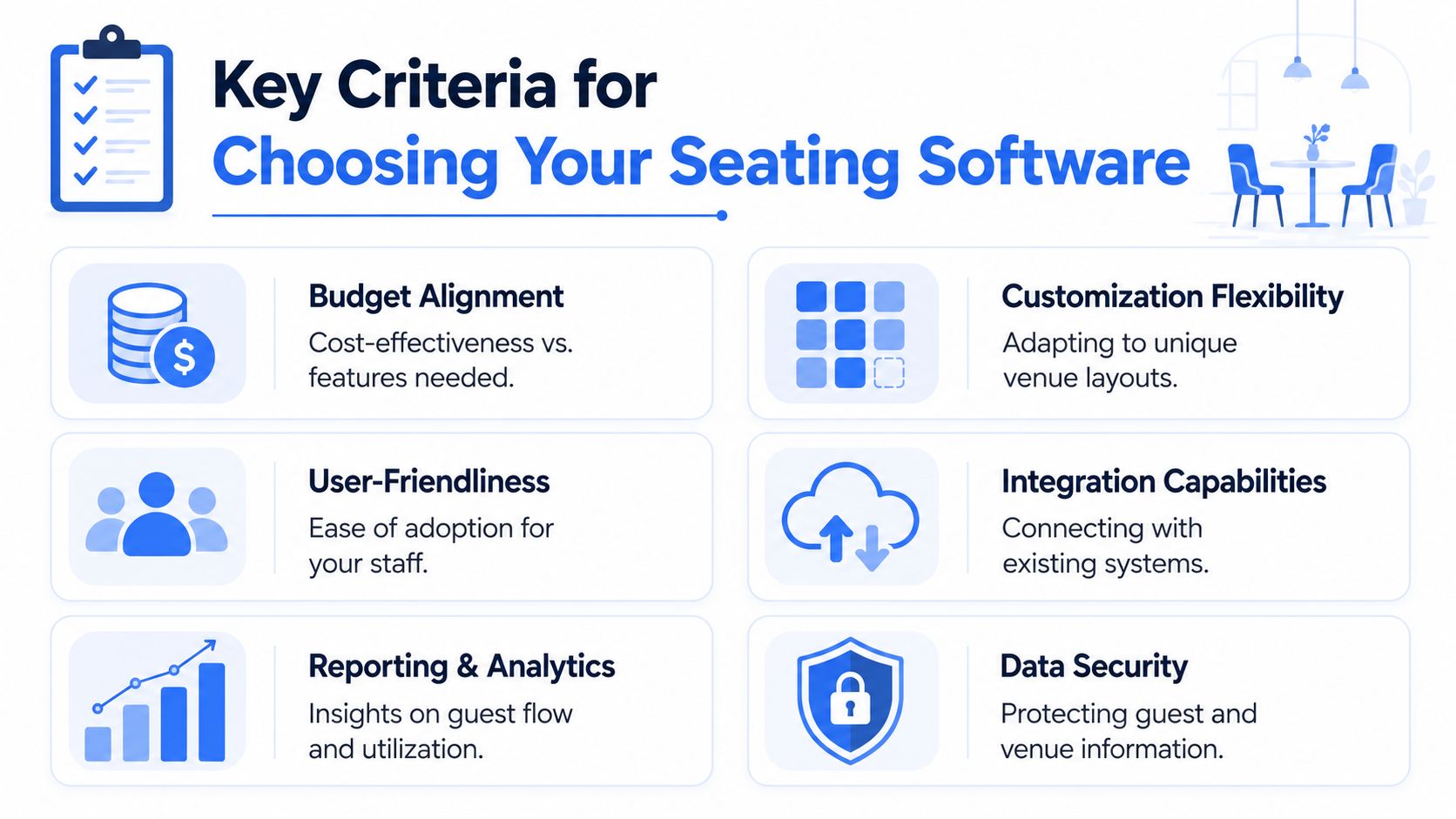
The right software earns its place by removing friction in the run-up to service. A smart demo can hide a weak workflow, so I'd judge any platform against a shortlist of practical checks before looking at branding, 3D visuals, or advanced design features.
Start with the floor plan workflow
If building the room is tedious, staff won't keep the plan updated. The strongest tools let you import an existing layout, scale it properly, duplicate table sets, and make changes quickly when covers shift. Effective drag-and-drop is key, provided it's responsive and stable under pressure.
The wider category has moved in this direction. According to the WorldMetrics event seating software overview, top-tier tools enforce capacity rules and provide real-time analytics to maximise venue use, while enabling operators to achieve up to a 70% reduction in planning effort through visual drag-and-drop planners that replace manual spreadsheets.
Practical rule: If your coordinator needs training just to resize a table or re-seat a party, the tool is too cumbersome for live venue use.
Judge the guest record, not just the canvas
A lot of software looks capable until you test a realistic guest list. Add family groupings, VIP tags, limited mobility, meal selections, and a couple of sensitive seating requests. Then ask whether the platform still feels simple.
What I look for:
- Clear guest flags: VIP, accessibility, host table, child seat, service notes.
- Fast bulk editing: useful when large parties move together.
- Reliable search and filters: essential for last-minute changes.
- Visible context: staff should be able to see the right guest information without opening six panels.
A polished room view isn't enough. The best event seating plan software should help the team make fewer mistakes under time pressure.
Check what happens after the plan is finished
This is the point many buyer guides gloss over. A seating plan only becomes valuable when the rest of the operation can use it. I want to know what the software produces once the final guests are placed.
Look closely at these areas:
- Place cards and table reports: Can they be generated without extra formatting?
- Kitchen-facing outputs: Are dietary and allergen notes visible where the chefs need them?
- Function sheets and run sheets: Does the seating work feed those documents, or are they manual?
- Payments and pre-orders: If your venue takes menu selections or drinks orders in advance, does the seating data sit near that workflow or apart from it?
That's where connected platforms start to separate themselves from design-first tools. If you're comparing options, it helps to review the sort of hospitality workflows covered on the Creventa features overview and use that as a benchmark for what an operations-led system includes.
Don't ignore the less visible checks
Some of the most important buying criteria aren't flashy at all:
| Check | Why it matters in venue use |
|---|---|
| Staff adoption | A planner only works if events, operations, and F&B all use the same record |
| Integration fit | PMS, guest databases, and reporting need to line up with existing workflows |
| Reporting | Managers need exports that support review, service planning, and post-event analysis |
| Data security | Guest details, dietary information, and payment-adjacent workflows need tighter controls |
A strong platform doesn't need to be all things to all venues. It does need to fit how your team runs an event.
The 2026 Shortlist A Head-to-Head Comparison
The shortlist below covers four different approaches. Social Tables leans into event diagramming and collaboration. Prismm focuses heavily on visualisation. Planning Pod offers broader planning coverage. Creventa is the option on this list that ties seating directly into hospitality workflows such as pre-orders, payments, and allergen reporting.
Quick comparison table
| Software | Strongest point | Main limitation | Best for |
|---|---|---|---|
| Social Tables | Familiar event diagramming and room planning | Less focused on kitchen and dietary handoff | Venues that prioritise layout collaboration |
| Prismm | Advanced spatial visualisation | Can feel heavier than needed for routine banquet work | Sales-led venues using 3D presentation heavily |
| Planning Pod | Broader event administration around planning | Seating isn't always the centre of the workflow | Teams wanting planning tools beyond room setup |
| Creventa | Seating linked to pre-orders, allergen data, payments, and documents | Best fit is hospitality-led operations rather than pure design use | Hotels, restaurants, stadiums, and multi-function venues |
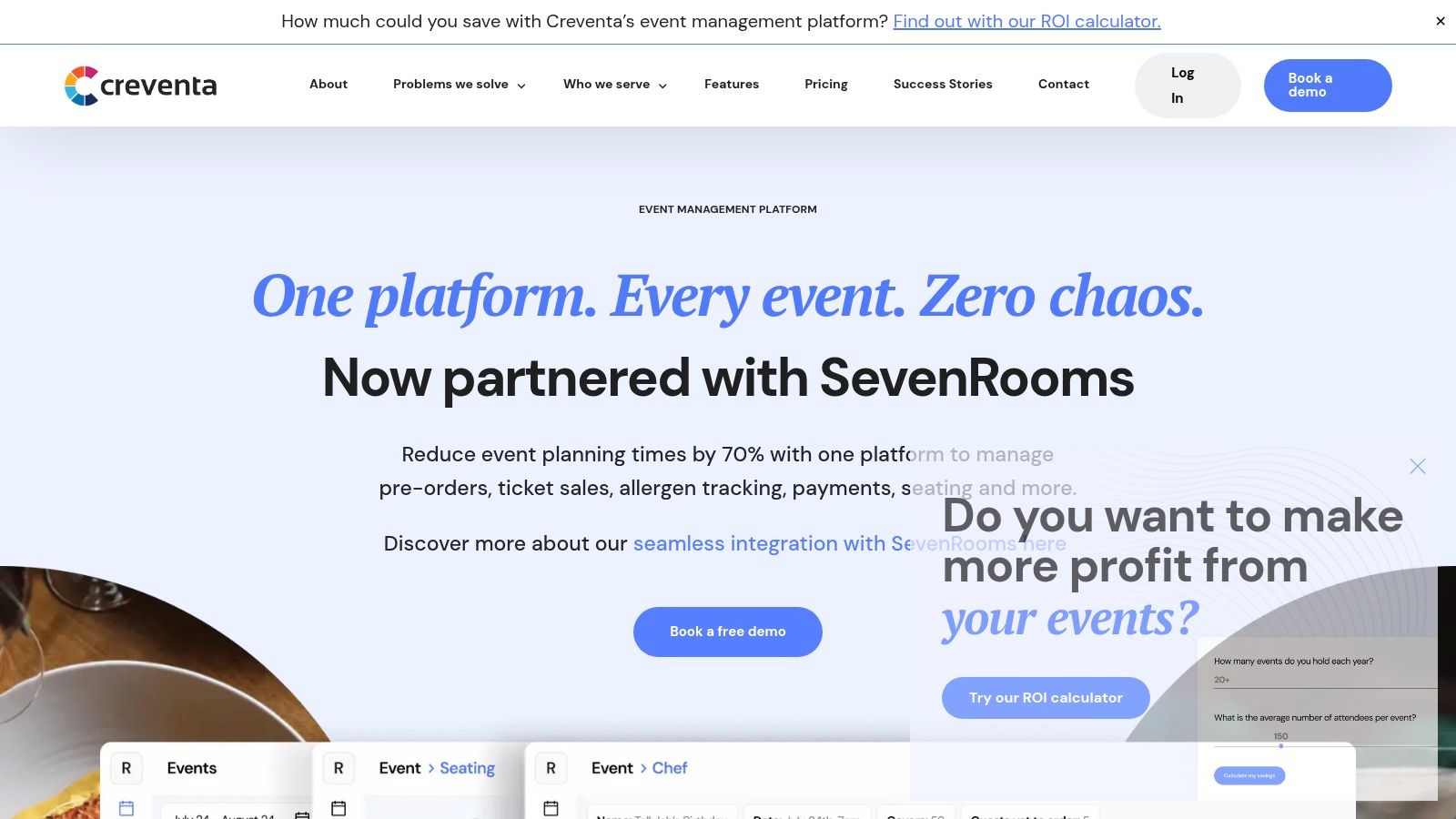
A screenshot helps show what an integrated event workflow looks like in practice.
Social Tables
Social Tables has long been recognised for event diagramming and collaborative floor planning. For venues that need to map room sets, share layouts, and communicate event setups across departments, that remains useful. It's generally strongest when the floor plan itself is the main operational object.
Pros
- Layout-first workflow: good for room diagrams and setup communication.
- Useful for collaboration: teams can review and adjust plans without relying on static files.
- Suitable for varied event formats: banquet, conference, reception, and mixed room use.
Cons
- Less hospitality-specific downstream output: teams may still need separate processes for place cards, food passes, and dietary handoff.
- Potential gap between planning and service: the room can be clear while guest-level details remain elsewhere.
Best for
Venues that need a capable event diagramming tool and already handle guest data, catering notes, and service documentation in other systems.
Prismm
Prismm stands out when visualisation matters. If your sales team regularly wins business by showing clients detailed room renders or immersive event concepts, Prismm has a clear role. It's persuasive software in the sales cycle and useful for complex spaces where visual certainty helps everyone.
Pros
- Strong 3D presentation value: helps clients and internal teams visualise the room.
- Helpful for unusual spaces: useful where dimensions, staging, or complex layouts matter.
- Supports detailed planning conversations: especially before the event is operationally locked.
Cons
- Can be more platform than you need for everyday seating edits.
- Not always the quickest route from guest list to service paperwork.
A visually impressive layout doesn't automatically produce a better banquet pack. That's a different problem.
Best for
Conference venues, premium event spaces, and sales-led teams where visual presentation is central to booking and pre-event sign-off.
Planning Pod
Planning Pod takes a broader event management approach. Rather than acting as a specialist seating platform first, it sits within a wider planning environment. That can work well for teams that want multiple planning functions together and don't need highly specialised hospitality outputs from seating itself.
Pros
- Broader planning scope: useful if your team wants more than table placement.
- Consolidated administration: can reduce tool sprawl for general event work.
- Practical for organisers managing many moving parts: not just room layouts.
Cons
- Seating may feel secondary: if your venue's main bottleneck is banquet seating and guest-level service detail, you may want deeper seating-specific controls.
- Operational handoff may still need extra work: especially for F&B teams.
Best for
Event teams that want an all-round planning system and can accept a more general seating workflow.
Creventa
For hospitality venues, the key distinction here is that seating doesn't sit alone. It connects to pre-orders, ticket sales, allergen tracking, payments, and generated documents within one platform. That's a meaningful difference if your events team spends more time reconciling guest data than drawing tables.
The product materials state that the platform can reduce event planning time by 70% by consolidating pre-orders, ticket sales, allergen tracking, seating, and payments in one system on the Creventa platform site. Separately, a customer results page reports that venues have saved over 6 hours per event on seating and documentation tasks, while achieving 100% allergen compliance and up to 251% higher profit through automated pre-order flows and instant generation of place cards and function sheets on the Creventa event management results page.
Customer-reported results are most useful when you translate them into the daily workload. Saving hours on place cards, table plans, and function paperwork matters because those are the jobs that usually pile up the day before service.
Pros
- Hospitality-specific workflow: seating links directly to food orders, dietary information, and payments.
- Useful downstream outputs: auto-generated place cards, function sheets, and food passes reduce double handling.
- Compliance-aware setup: better aligned with venues that need allergen visibility in operational documents.
Cons
- Less relevant if you only want a standalone visual planner.
- May be more system than a simple one-off event needs.
Best for
Hotels, restaurants, golf clubs, stadium hospitality teams, and other venues where seating has to drive service, compliance, and guest communication rather than just room presentation.
If you're also reviewing simpler planning tools for one-off social events, this roundup of event layout solutions for BC parties is a useful contrast because it shows how different the needs are between casual event layouts and venue-grade operations.
For teams weighing these categories side by side, a structured competitor comparison across hospitality workflows is worth checking because the actual buying question usually isn't “Which canvas looks nicest?” It's “Which system reduces manual handoffs?”
Recommendations Which Software Suits Your Venue
There isn't one universal winner here. The best event seating plan software depends on what your venue asks the seating plan to do after the room is drawn.

For multi-site hotel groups
If you run several properties, the seating tool has to work as part of a wider operational estate. A source focused on venue mapping noted that 70% of UK venue groups operate 3+ sites, while mainstream buyer guides often ignore the need for centralised dashboards, cross-venue reporting, unified guest databases, and integrations such as Opera PMS and RezLynx in the Seatmap Pro venue map software article.
In that context, the strongest fit is the platform on this shortlist built around hospitality operations rather than pure diagramming. Multi-site teams usually need consistency, shared guest history, and reporting that doesn't split by site unless they want it to.
For independent restaurants and private dining venues
A smaller venue often needs speed more than complexity. If your events are private dining, birthdays, local business dinners, and small weddings, Planning Pod can make sense when you want a broader planning environment without investing in a specialised banquet workflow.
If you only need a simple visual tool for occasional social layouts, a lightweight seating chart creator can be a handy reference point. It also shows why some wedding-oriented tools feel quick at first but become limiting once service notes, menu selections, and operational printouts enter the picture.
For stadium hospitality and large-format events
Stadium and arena teams usually have two separate needs. One is visual clarity at scale. The other is disciplined operational execution across multiple spaces, packages, and guest types. Prismm is a sensible choice when sales presentations and spatial confidence carry real weight. Social Tables also fits if your setup teams need room planning and layout collaboration above all else.
What matters is being honest about where the pressure lands. If your challenge is premium sales presentation, choose for that. If the pain sits with guest servicing, paperwork, and F&B coordination, visual strength on its own won't fix much.
For wedding-led country venues
Country manors and wedding venues often sit between categories. They need a polished planning experience for clients, but they also need banquet operations to run cleanly on the day. Social Tables is often the better fit where the planning conversation is highly visual and bespoke. The hospitality-led option on this shortlist suits venues where wedding breakfasts, dietary coordination, and printed service documents are creating the bigger operational burden.
For venues comparing guest-data workflows specifically, this page on Creventa versus Tell the Chef is relevant because the dividing line in hospitality software is often dietary and allergen handling rather than the seating canvas itself.
Making the Switch Implementation and Evaluation Tips
Buying software is the easy part. Getting the events team, operations manager, and kitchen to trust one shared process is harder.
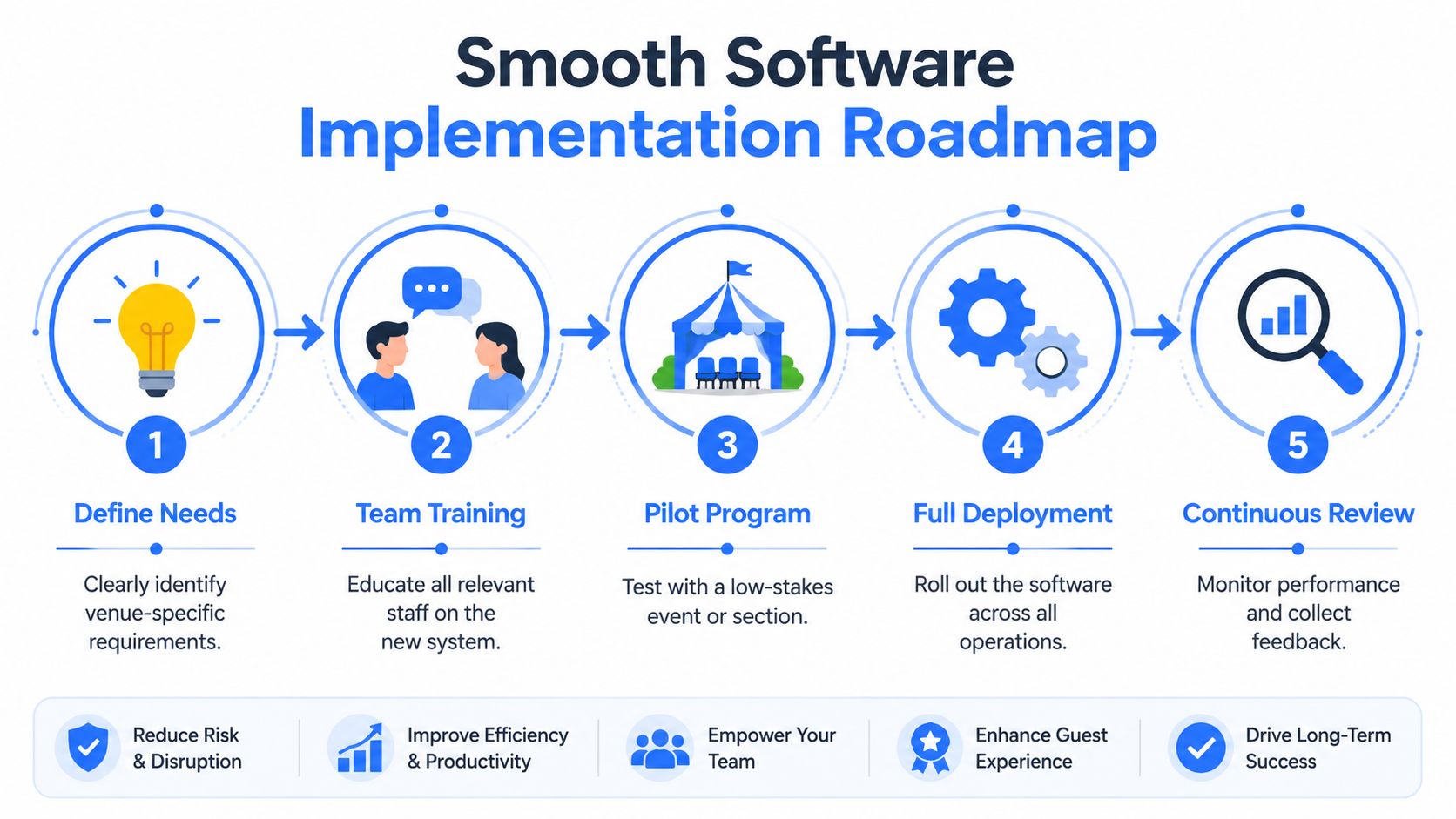
Roll out in a controlled order
Start with one event type. Don't begin with your most complex Christmas party or your highest-pressure gala. A private dinner, wedding tasting event, or routine banquet gives the team room to learn without risking a major service failure.
A practical rollout usually works like this:
- Map the current process: list where guest names, dietary details, floor plans, and place cards live today.
- Import one live floor plan: use a room the team knows well.
- Train by role: events, operations, and kitchen staff don't need the same level of access or detail.
- Test the outputs: print the place cards, kitchen sheets, and function paperwork before event week.
- Run one post-event review: capture where the system saved time and where staff still reverted to manual habits.
If your shortlist includes a platform that links seating and pre-orders, review how seating plans connect to pre-order workflows before rollout. That handoff is usually where the biggest admin gain appears.
Measure the admin change properly
Don't try to prove value with vague claims like “the team liked it”. Track the operational steps that used to take the longest.
Count staff hours spent on seating edits, place card prep, function sheet updates, and kitchen communication before and after the switch.
Also review avoidable friction points after each event:
- Document rework: how often did place cards or function sheets need manual correction?
- Guest-data duplication: did staff enter the same dietary or seating detail more than once?
- Kitchen clarity: did chefs receive seating-linked food information in a usable format?
- Service confidence: could front of house identify key guest notes quickly?
Those measures won't all produce neat headline numbers, but they will verify whether the software has changed the workload.
Frequently Asked Questions
Does seating software need to integrate with our PMS?
Not always, but it matters more as your venue operation grows. Single-site teams can live with partial separation for a while. Multi-site venues and hotel groups usually need guest records, room bookings, and event data to stay aligned, or staff end up checking several systems to confirm one booking.
What's the difference between a seating planner and an all-in-one event platform?
A dedicated seating planner focuses on room layout and guest placement. An all-in-one platform goes further by connecting seating to the rest of the event workflow, such as pre-orders, payments, communications, and reporting. That difference matters most when the seating plan has to drive kitchen, service, and admin actions.
Can these tools handle varied table shapes and unusual room layouts?
Generally, yes. The better platforms are built for real venue layouts rather than only standard wedding rounds. The important test isn't whether you can draw the room. It's whether the software still feels usable once you add a realistic guest list and event-day changes.
Why does allergen tracking matter so much in seating software?
Because guest safety can depend on where that information appears. By linking each guest's allergen and dietary requirements directly to seating plans and kitchen-ready reports, Creventa helps UK venues meet Food Standards Agency requirements, reducing legal risk and supporting guest safety under UK law, as outlined in the Guides for Brides overview of Creventa's venue software.
If your venue has outgrown spreadsheets and disconnected event tools, Creventa is worth a look for teams that need seating, pre-orders, allergen tracking, payments, and event paperwork to work together in one hospitality workflow.